For grown-ups

A game they ask to play. A clear view of what they learn.

Kids play an adventure. You get a parents' page that shows what they practiced, what clicked and what to teach next, with tools to help at no extra cost.

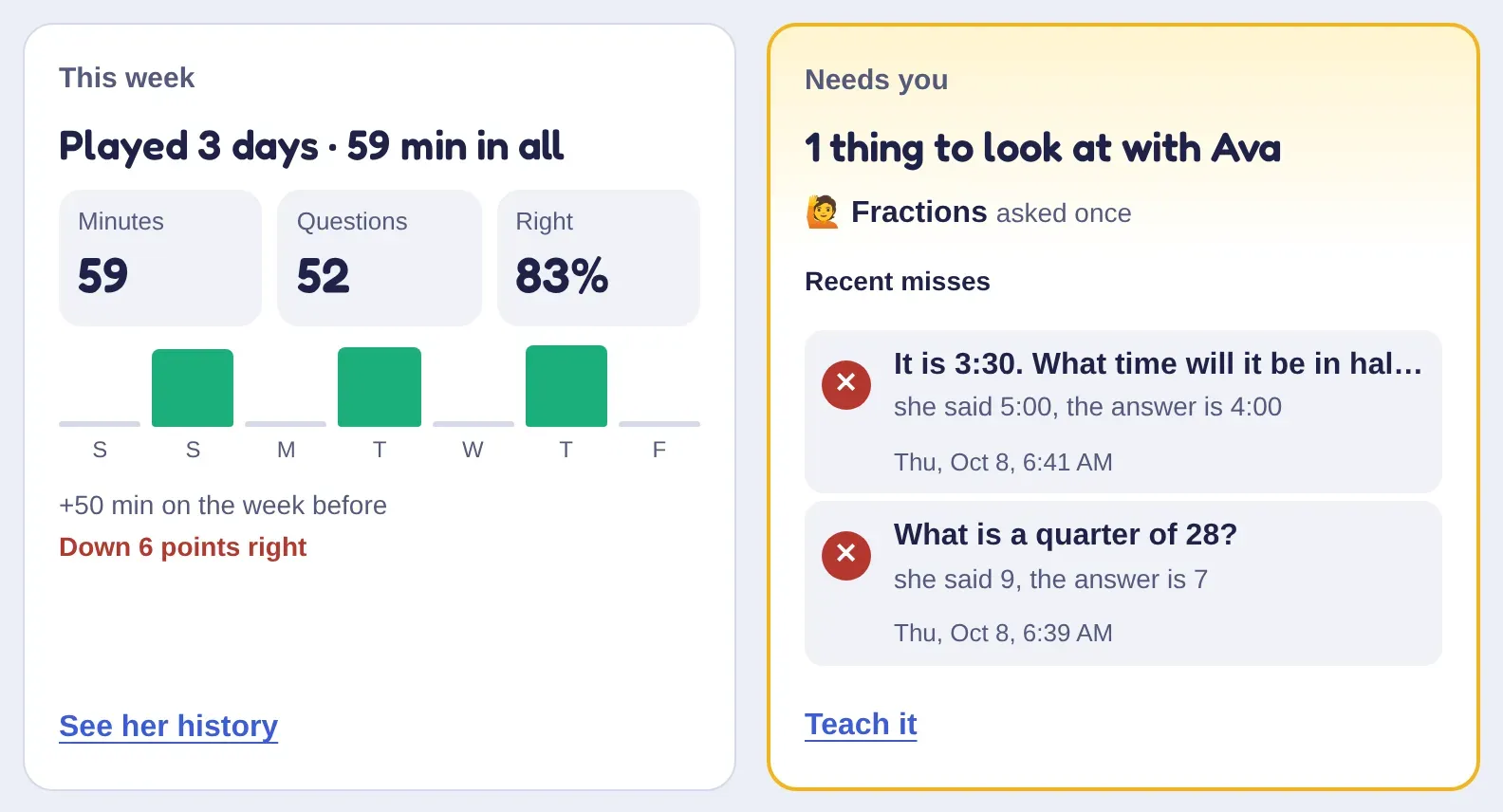
Ava's week on the parents' page, in two cards: played 3 days, 59 minutes, 52 questions and 83% right, with a bar for each day; and Needs you, with fractions she asked to learn and two recent misses.
A demo family's week on the parents' page.
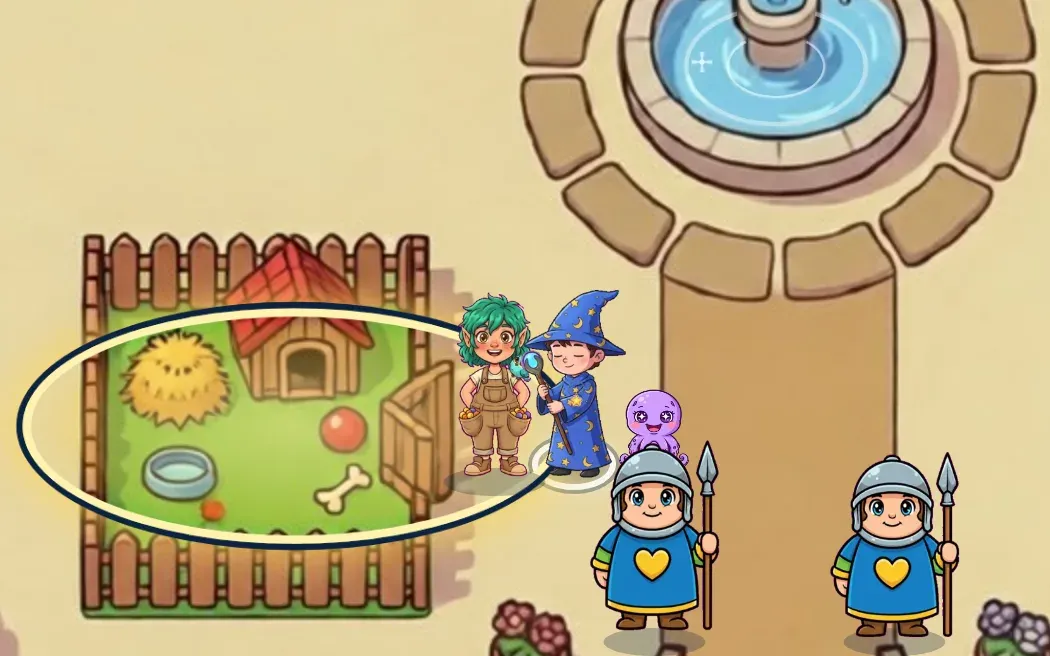
A wizard hero walks out of Fen's pet pen in the castle courtyard, with Fen beside him and a little purple octopus following at his feet.

Practice they don't have to be talked into

  • Questions at their level. Each subject climbs when they're ready and eases off when something is hard, so it's never too easy or too much.
  • Learning is how they win. Right answers power up attacks, open gates and rest tired heroes; a miss costs nothing.
  • You're in charge. Set playtime, levels and homework, and see every answer. You don't have to be a math whiz to help.

The parents' page

Your side of the castle

Everything here comes with the family plan. The pictures are from a demo family.

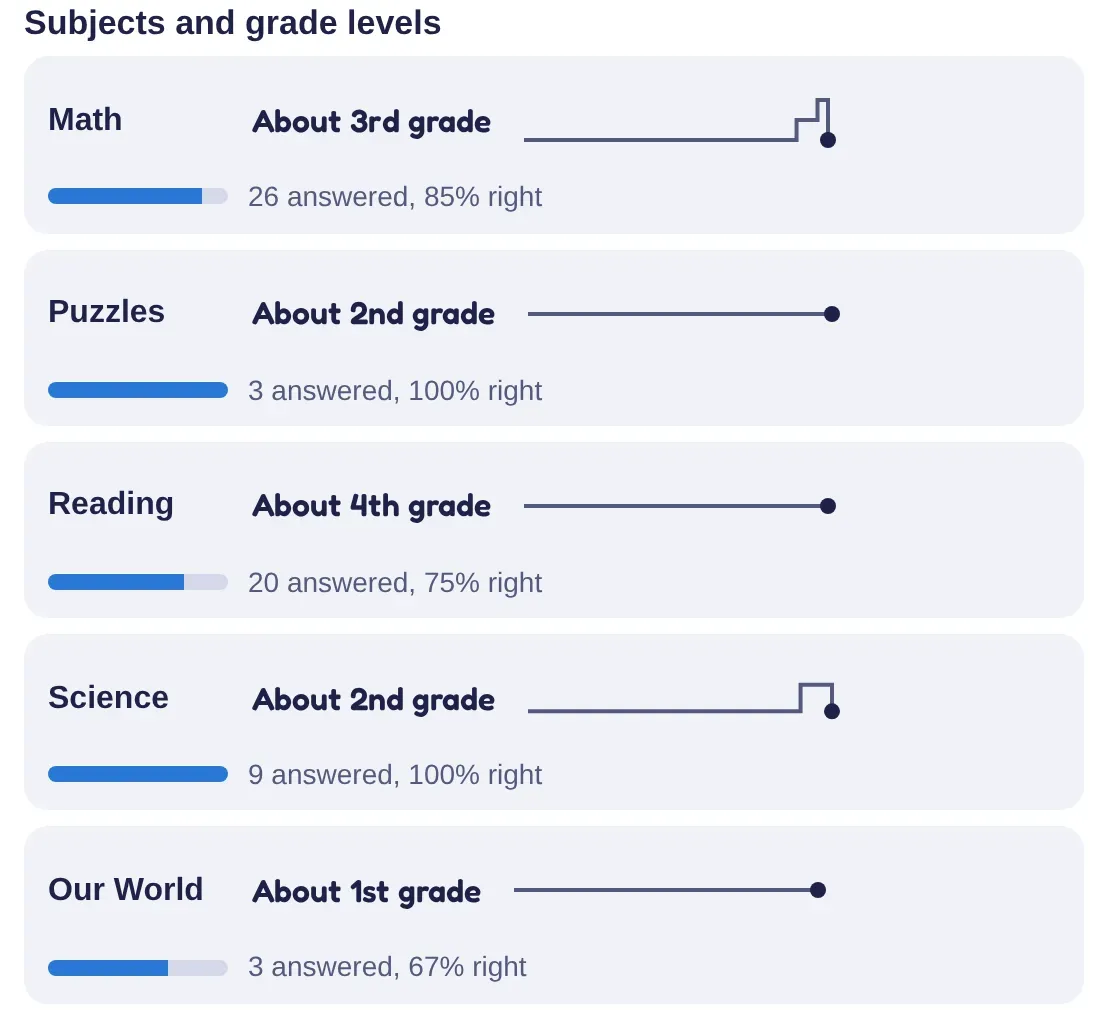
  • A demo kid's subjects on the parents' page: Math about 3rd grade, Puzzles about 2nd, Reading about 4th, Science about 2nd and Our World about 1st, each with how many were answered and how many were right.

    A grade level in every subject

    Where each kid is in math, reading, puzzles, science and Our World, said as a school grade, and how far they've come.

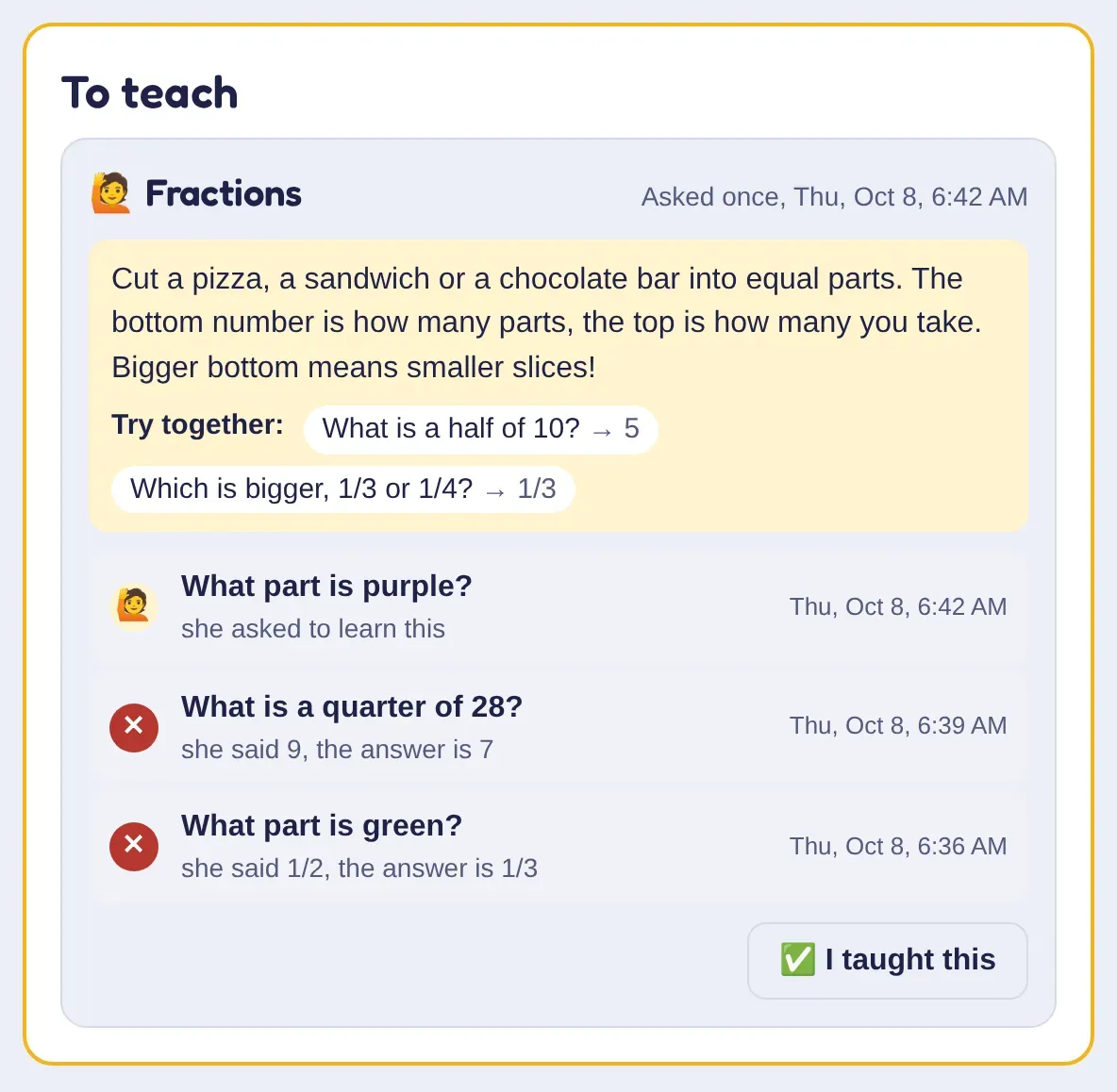
  • Ava's To teach list: Fractions, asked once, with a tip about cutting a pizza into equal parts, two questions to try together, two questions she missed, and an I taught this button.

    A “to teach” list

    When a skill keeps tripping them up, kids can tap “I haven't learned this yet”. It lands here with a tip for teaching it and a couple of problems to try together.

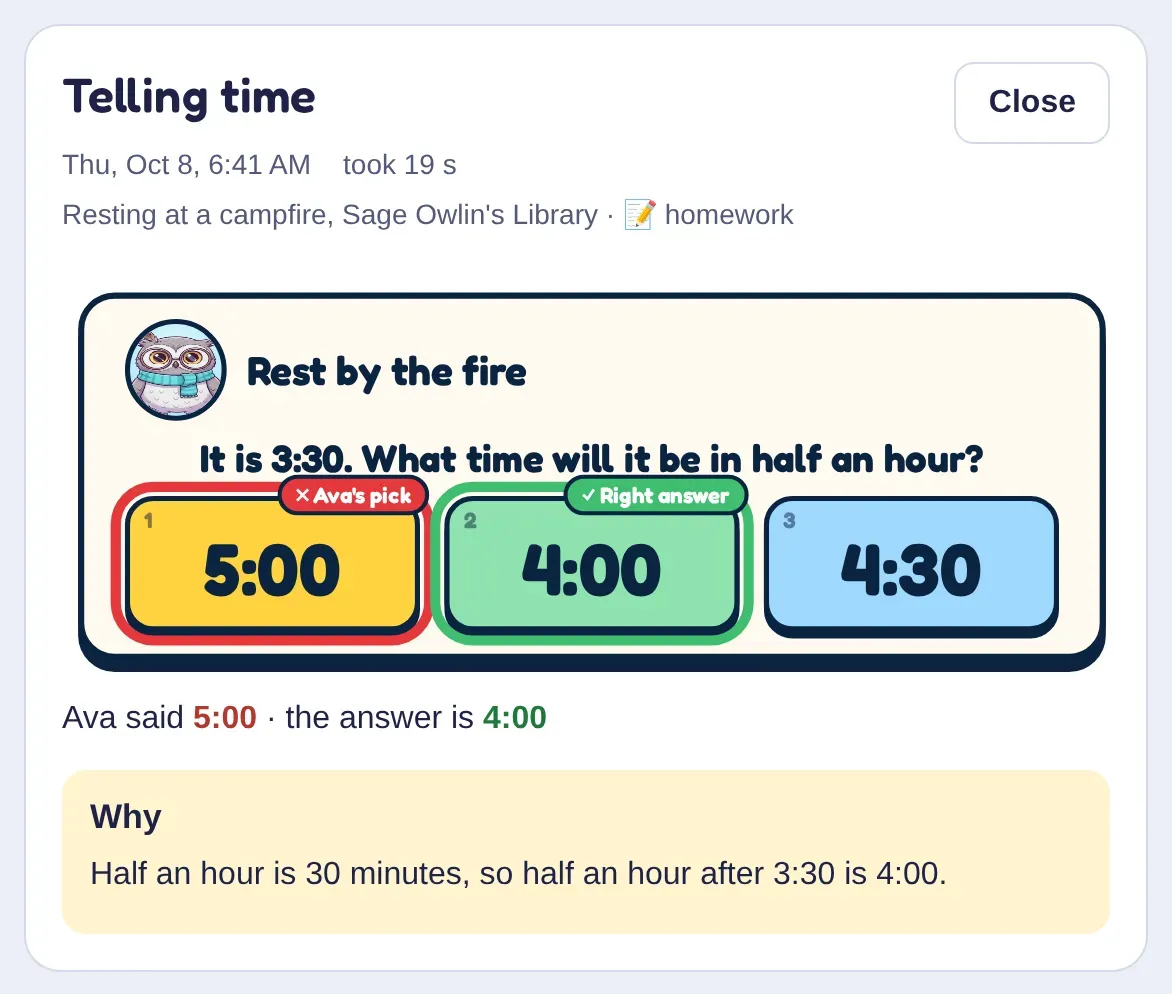
  • A missed question on the parents' page: “It is 3:30. What time will it be in half an hour?” Ava picked 5:00, the right answer 4:00 is marked, and the why: half an hour after 3:30 is 4:00.

    What didn't click, and why

    Every missed question with their answer, the right one, and the reason, so you know what to practice at dinner.

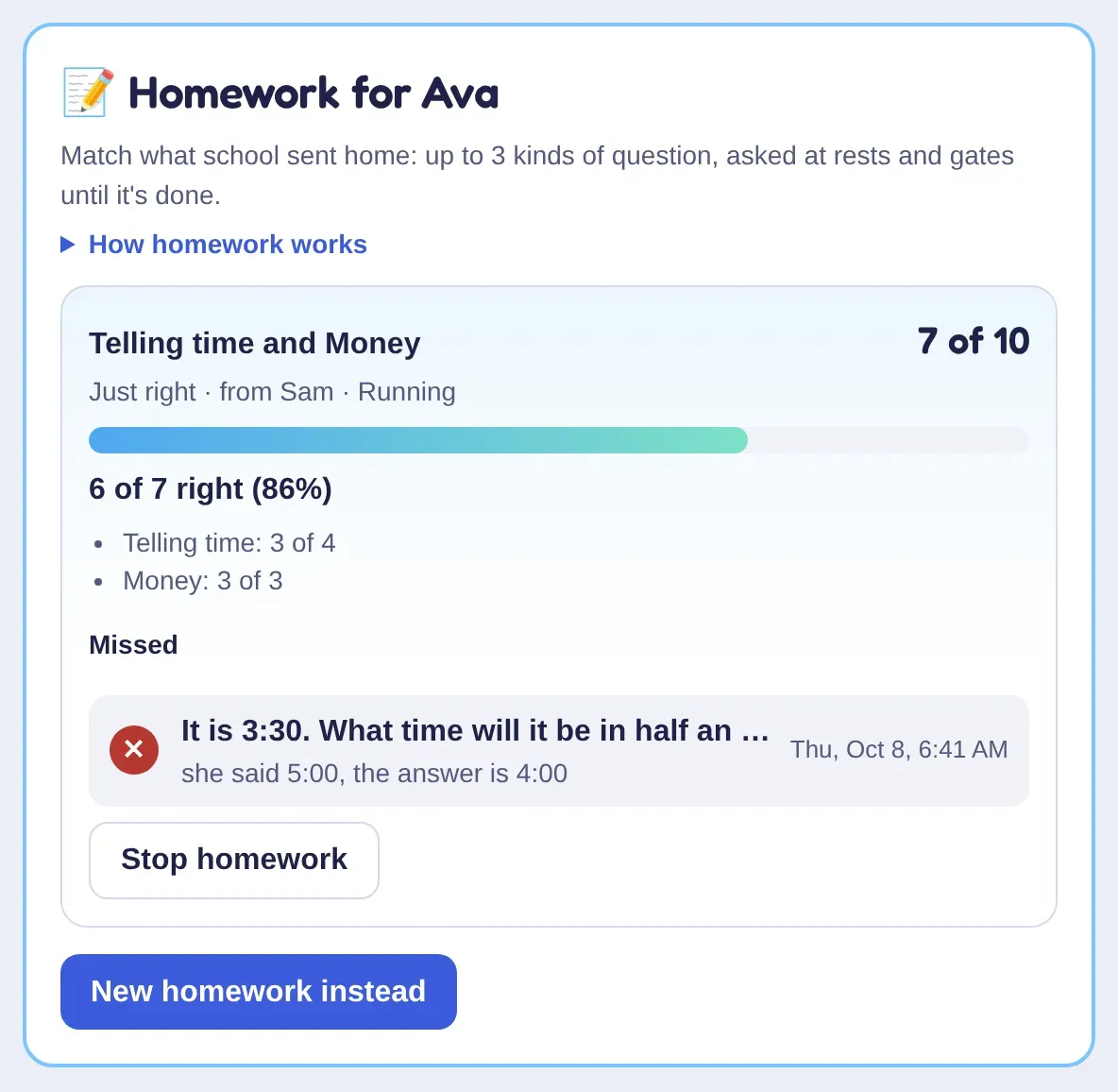
  • Homework for Ava, telling time and money, set by Sam: 7 of 10 done, 6 of 7 right, with the one she missed and buttons to stop it or set new homework.

    Homework, in the game

    Pick the kinds of question school is working on. The adventure asks those for a while, and you see how it went.

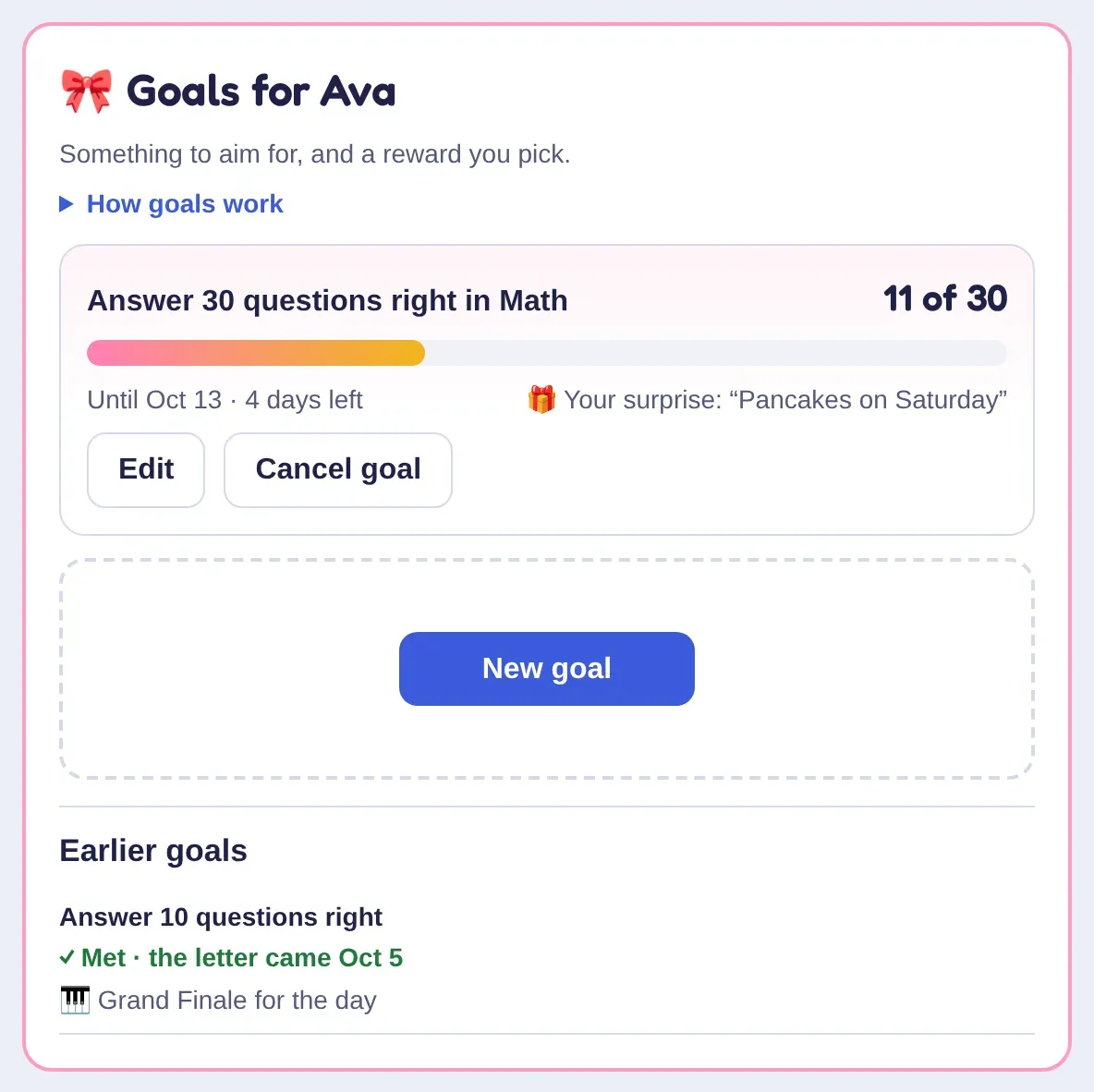
  • Goals for Ava: answer 30 math questions right, 11 of 30 so far, with the surprise “Pancakes on Saturday”, and an earlier goal met, its letter delivered.

    Goals with a reward

    Pick a goal and a reward. They watch a ribbon fill in the game, and a letter brings the reward when they get there.

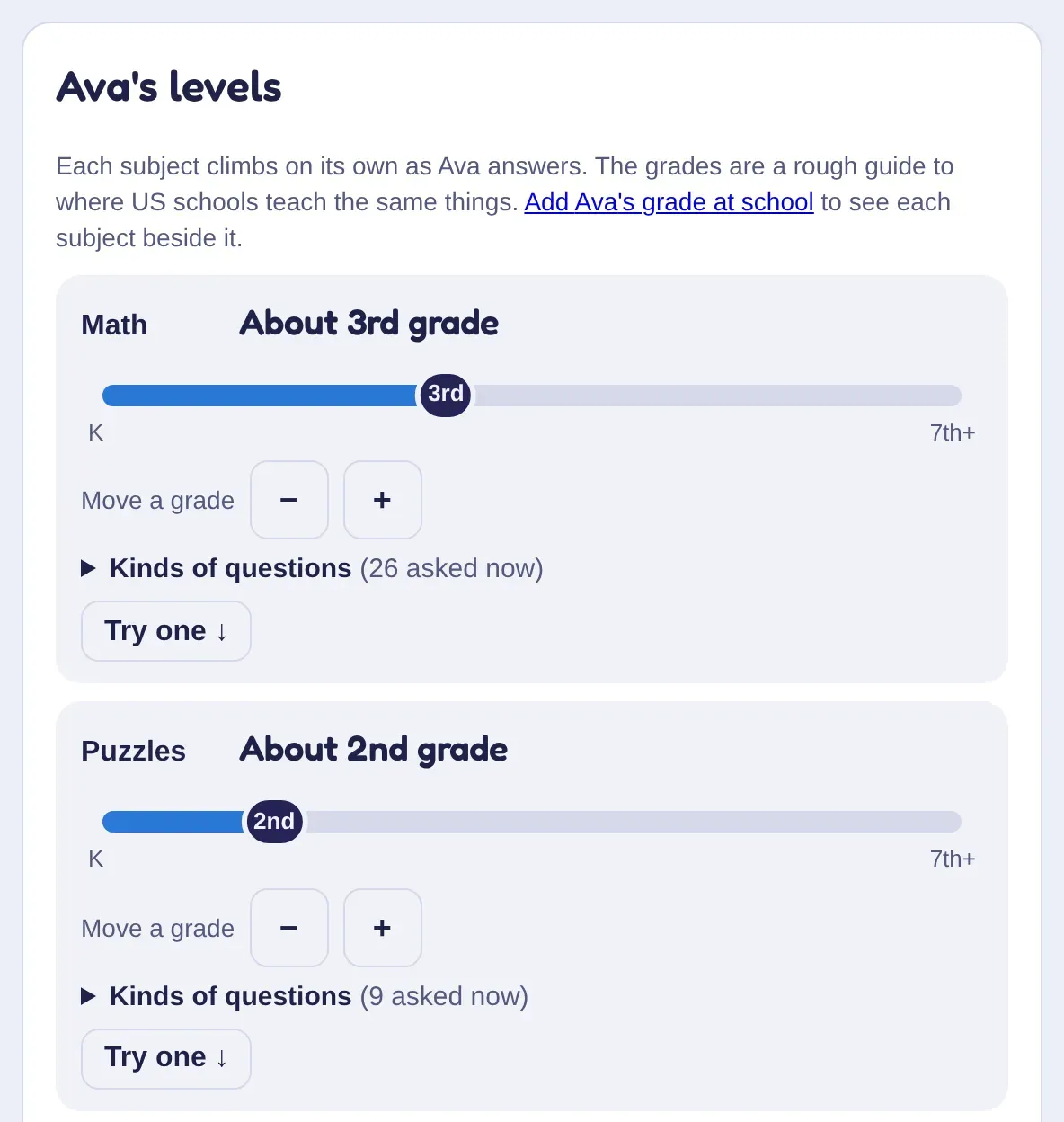
  • Ava's levels: Math about 3rd grade and Puzzles about 2nd grade, each on a kindergarten-to-7th slider with buttons to move a grade and to try a question.

    Levels you can set

    Questions find the right level on their own. If you know better, nudge a subject up or down, or try a question yourself.

  • A Sunday email

    Minutes played, levels gained, two wins, one thing to teach and a problem to try together. Turn it off any time.

  • Cheers

    Send a cheer from your phone and it pops up in their game.

  • Playtime

    Choose the hours they can play and how long each day.

  • Spelling lists

    Type in this week's words from school and the game asks those.

  • More grown-ups

    Invite another parent or a grandparent to see and help.

  • Easy devices

    Set up a kid's tablet with a QR code; they sign in with three pictures.

Getting started

Playing in three steps

  1. Get an invite

    Join the waitlist and we'll write when there's room, or open a link from a family who already plays.

  2. Add your kids

    Give each kid a first name and a picture code, then pair their tablet or computer with a QR code. No emails or passwords for kids.

  3. They play, you look in

    Kids play in the browser. You see how it's going on the parents' page, and in a short email every Sunday.

Pricing

One plan for the whole family

Everything in the game and every parent tool, for up to 4 kids. Kids never see a price, a store or a buy button.

Family plan

$79 a year

≈ $6.58/mo · save 34% · or $9.99 a month

Free for the first 30 days

  • Math, reading, spelling, puzzles, science and Our World
  • Every land, quest, pet and home in the game
  • The parents' page, homework, goals and the Sunday email
  • Up to 4 kids; a 5th or 6th is $15 a year each
  • No ads and nothing to buy inside the game, ever
Join the waitlist

Invited by a family who plays?

Brightkeep grows by invitation. The closer your invite is to the family who started it, the lower your price, and you keep it for as long as you stay.

Price by how you were invited
Invited by the founding family Free 3 months, then $20 a year
Invited by one of those families $40 a year
One more invite out $59 a year
Everyone else $79 a year
I have an invite

Safety and privacy

Built for kids, from the first line of code

  • A grown-up creates every account. Kids can't sign up on their own, and have no email or password.
  • No chat and no public profiles. Kids only meet heroes from families a grown-up invited.
  • No ads, no ad trackers, no store. We don't sell or rent anyone's information, or share it for marketing.
  • We keep a first name, an age and how they play, and use it to run Brightkeep and make it teach better.
  • See, download, fix or delete your family's information whenever you like.
Read the privacy policy

More questions from grown-ups

Playtime, sitting with them, siblings and paying.

Something else on your mind? A person reads every email. Write to us [email protected]

How much time should they play?

That's yours to decide. Set the hours they can play and the minutes a day on the parents' page, and the game keeps to them.

Do I need to sit with them?

No. Kids 5 and up can play on their own: questions are big and simple, and the game tells them what to do next. The parents' page is there for when you want to look in.

My kids are different ages. Does that work?

Yes. Every kid has their own levels in every subject, so siblings can play in the same world, even in the same fight, and each gets questions that fit.

Can I see exactly what they answered?

Yes, every question: what was asked, what they picked, the right answer and why, with how long they thought about it.

What do we pay, and when?

A family plan is $79 a year or $9.99 a month, after a 30-day free trial. Families invited by a family who already plays join at a lower founding price. You can cancel from the parents' page.

What devices does it need?

Any iPad, tablet, phone or computer with a web browser. There's nothing to install.

Ready when your family is

We're letting in a few families at a time. Join the waitlist and we'll write when there's room, one email, no newsletter.